Submitting an application for registration
At the last step, the system will display the application as it will be seen operator upon review.
If you need to change any data, you can return to to the previous step, on the “Organization Data” tab:

If all the necessary information is entered and displayed correctly, then you should click on the “Submit” button.
If the system has signature functionality enabled, the application will need to be signed.To confirm the submission or signature of the application, the user should click on the "Confirm" button, and to cancel the operation - "Cancel":
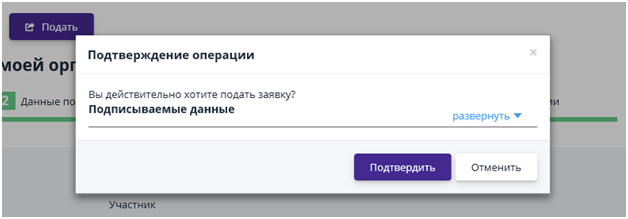
The registration application will be sent to the site operator for consideration. Until the application is confirmed, the user who submitted the application has limited capabilities in the system:
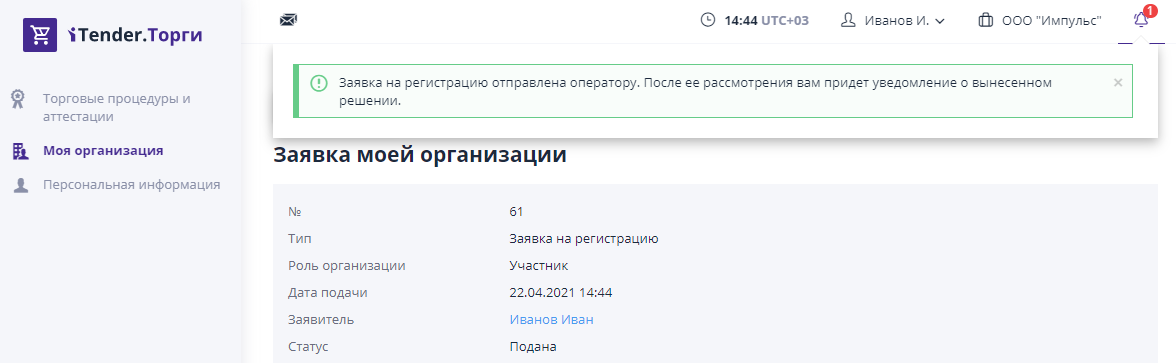
After the operator accepts the registration application, the user will receive All necessary tools are available to participate in trading on the ETP.
The company will also automatically be assigned an analytical account.The analytical account is the number of the user’s internal account in the system and is intended for performing operations provided for by the current regulations.