Working with digital signature certificates
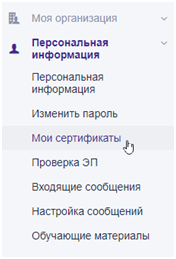
User certificates loaded into the system are stored in the "My Certificates" menu.To go to view the list of certificates, select “My Certificates” in the left side menu in the “Personal Information” section:
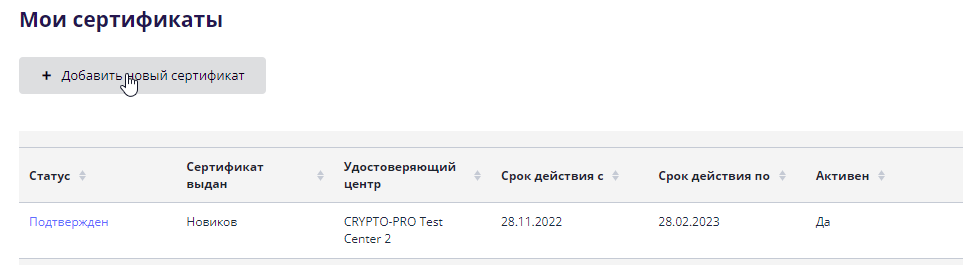
On the “My Certificates” page, the user can view all certificates added to the system.
To add a new certificate, you must use the “Add new certificate” button:
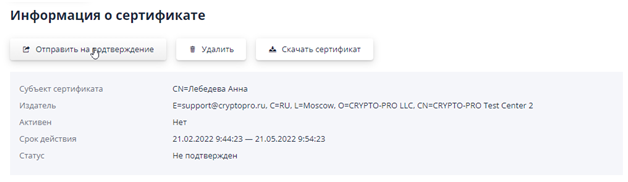
Next, in the pop-up window, select a certificate from the list.The certificate will appear in the list of certificates with the status “Unverified”.The new certificate must be sent to the site operator for confirmation; to do this, you need to open the certificate by clicking on the link in the status line:

On the page that opens, you must use the “Send for confirmation” button:
The certificate will change its status to “Pending confirmation” until the operator makes a decision.
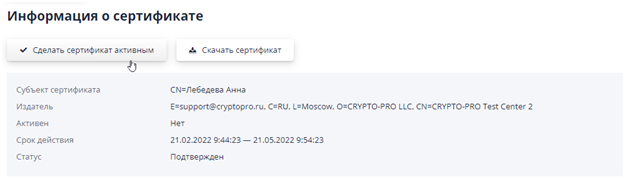
After confirmation of the certificate by the operator, the user can activate the added certificate using the “Make certificate active” button: