Questions about procedures and lots
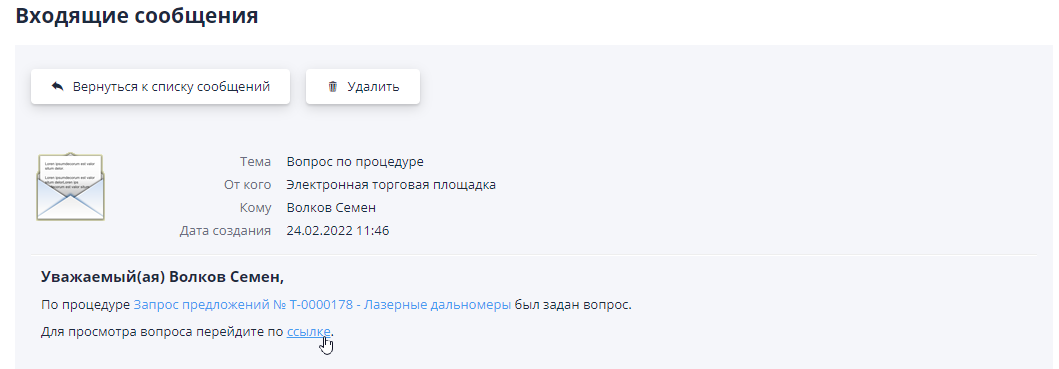
From the moment of publication of the notice of the trading procedure, Participants can submit questions about the procedure or lot.At When a question is received, you receive a message in your personal account and by email notification with the subject “Question about the auction/lot”.There is a link in the letter to go to the question text:
Also, an icon in the form of a sign appears in the top quick access menu question, which informs about the appearance of a question:

If task functionality is enabled in the system, then when a question is received a task with the type is also automatically created “Answer a question about the procedure.”Default task executor An organizer responsible for conducting the tender is appointed.In the problem Reassignment of the performer to any employee of the company is available organizer via task editing:
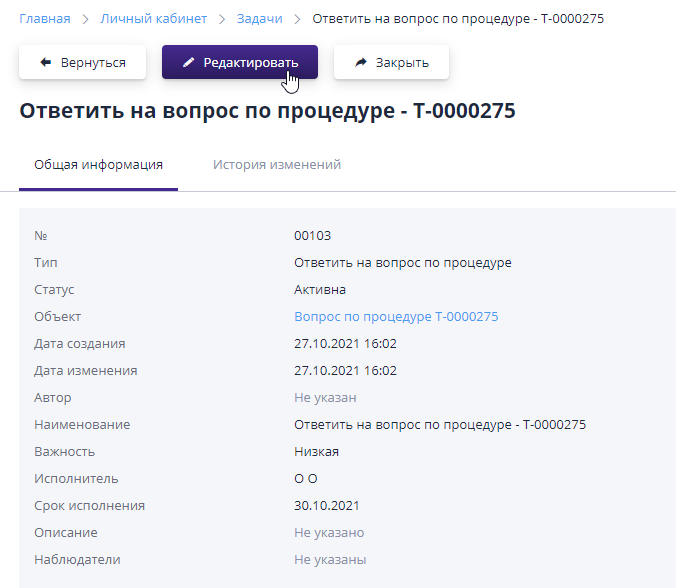
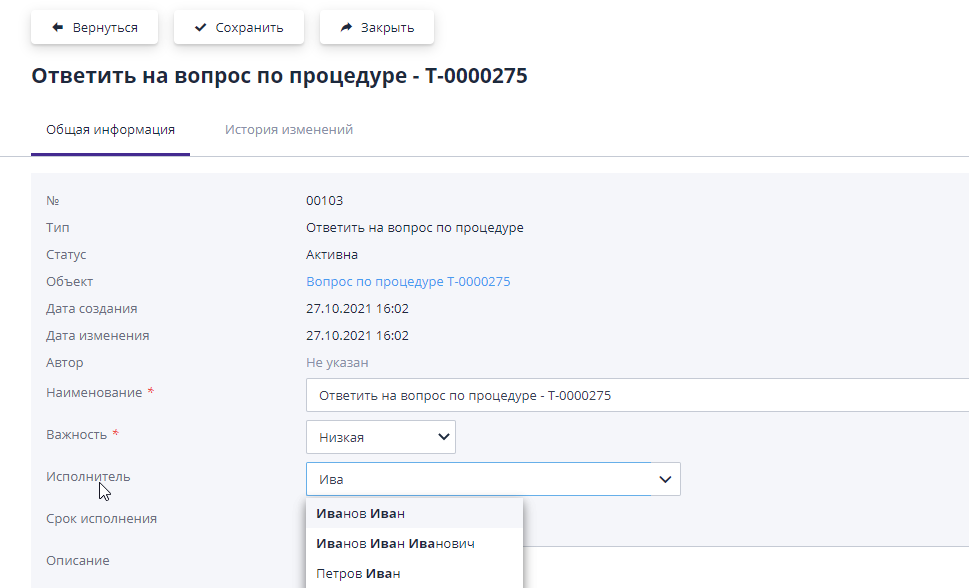
The task can be edited by the person responsible for the tender.At Editing allows you to change other task parameters: importance tasks (low/medium/high), task deadlines, add observers.When reassigning a task, you must select another employee in the “Executor” field.
When you follow a link from a letter, from a task, or from an availability indicator questions, you go to the section of your personal account “Questions about procedures and lots."By default, questions with status are shown "The issue has been created."That is, those questions that have not yet been answered.
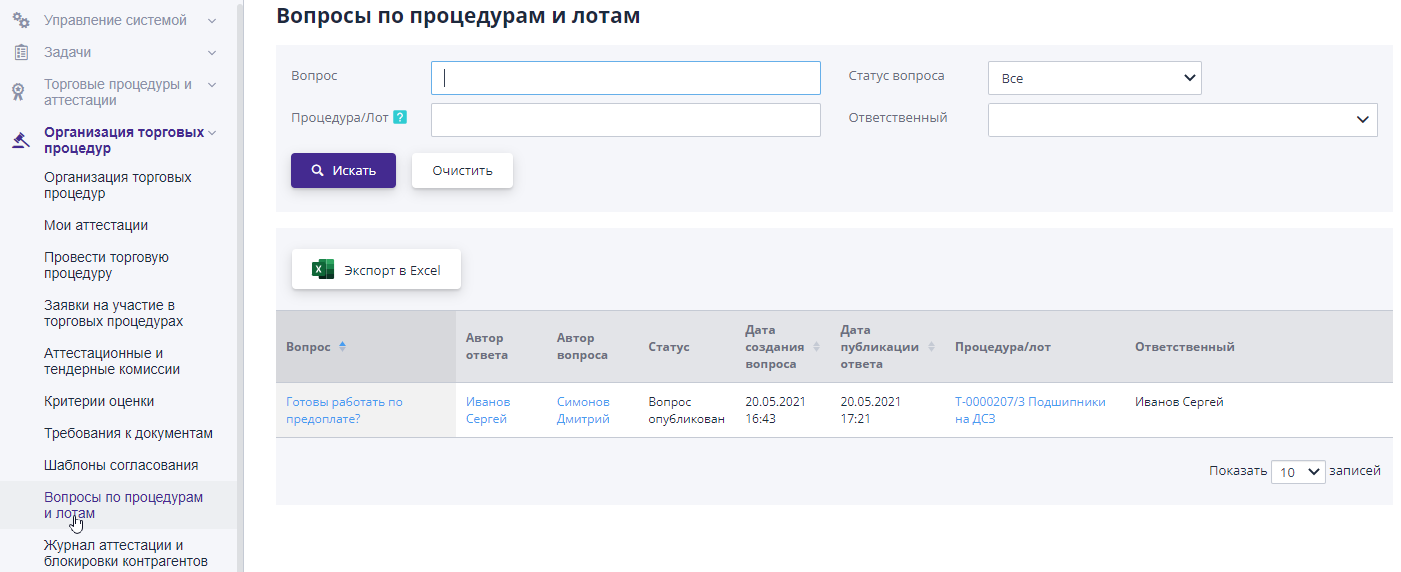
From the table you can find out basic information about the question: the question itself, who asked a question, who answered the question (if there is already an answer), status question, date of creation and publication of the answer, by what procedure it was asked question.
To work on the answer, you need to follow the link in the text of the question.
On the page that opens, you can give an answer and also attach a document. To save the changes you have made, click the button "Save".The data is not available to other users while it is in progress. working on a draft answer.
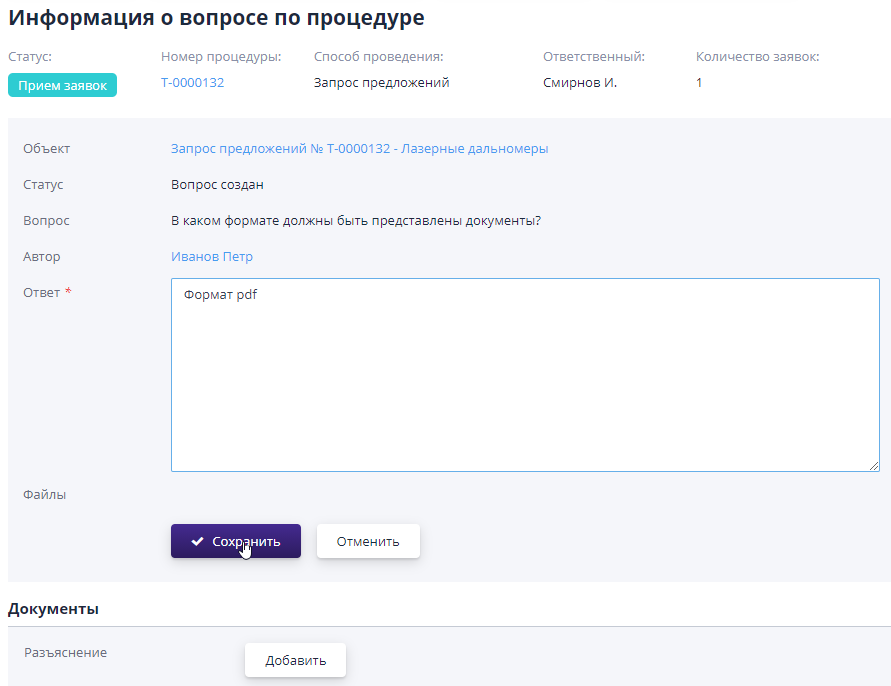
If the question relates to a specific participant, you must click the button “Send a response to the author of the question” - in this case, a message will be sent only to the e-mail of the author of the question.
If the organizer will not answer the participant’s question, you can click “Leave unanswered” button.
After finishing working on the answer, you can click the button “Publish”, then the answer with the question will appear on the bidding page or a lot in the public domain for review.
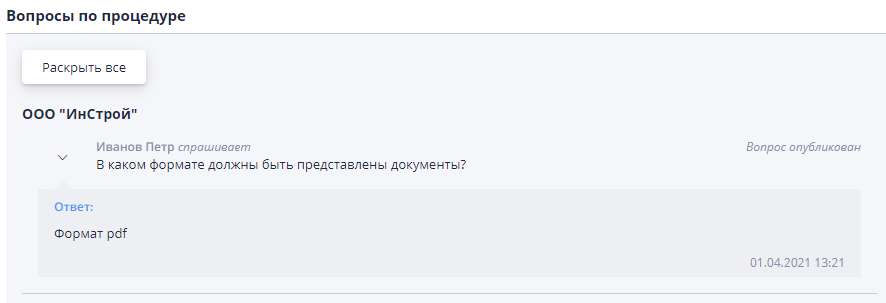
After you post an answer to a question, the associated task is automatically closes.The trading officer receives notification of execution.
Questions regarding all auctions and lots of the organizer are stored in the “Questions” section on procedures and lots."