Signature of the published procedure
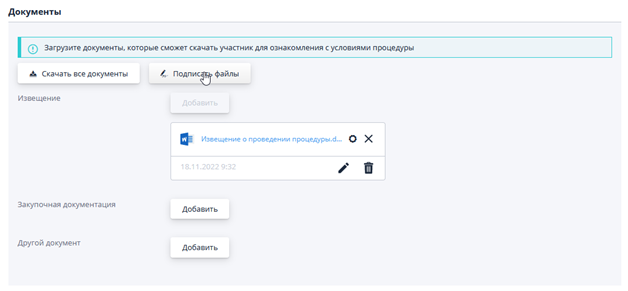
If the electronic signature functionality is enabled in the system, then after adding documents to the draft notification of procedure or to the lot, the system will automatically sign them. If the file is not signed, then it must be signed manually by clicking on the "Sign files" button:
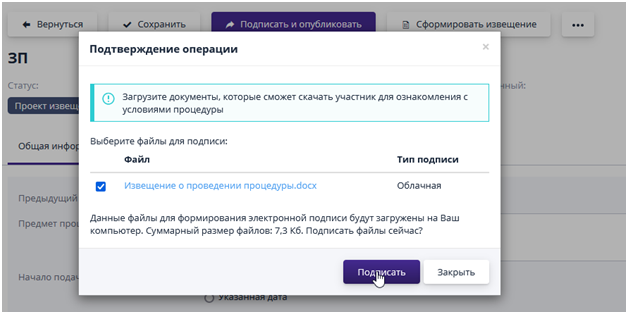
The system will ask you to confirm the signature operation:
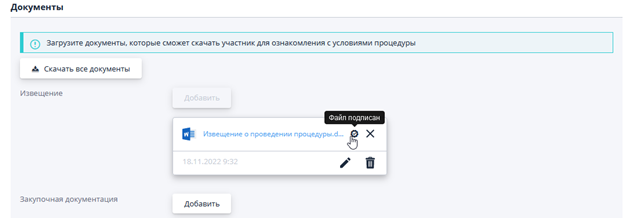
A signature sign will appear to the right of the name:
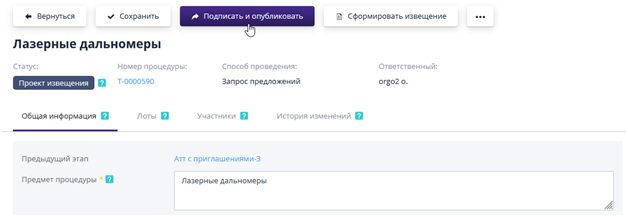
After specifying all the data in the notice, you can publish the procedure using the corresponding button on the procedure page:
To confirm the signature, the user should click on the "Confirm" button, and to cancel the operation - "Cancel":
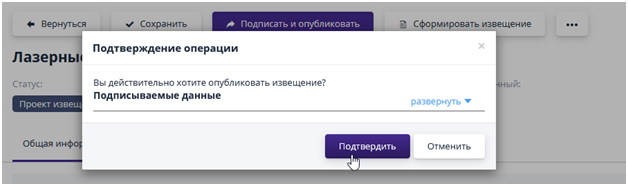
After confirmation of publication, the system will automatically sign the notice of the procedure and the status of the procedure will change to “Notice published” or “Accepting applications.”