Report “Response Time to Questions”
To view the “Response Time to Questions” report, go to the section “Statistics” select the item “Response time to questions”:
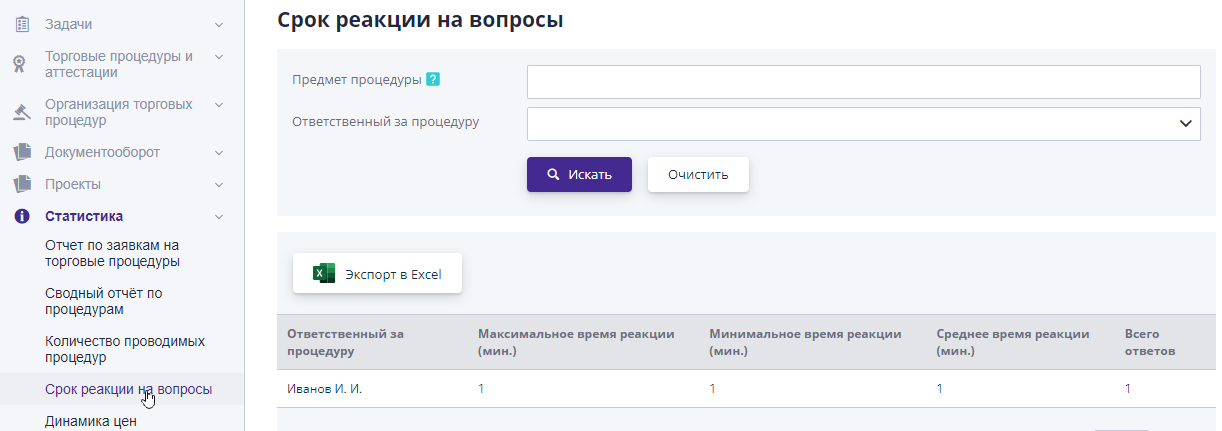
The page that opens provides information about those responsible for procedure, maximum and minimum response time to a question, average reaction time and total number of responses given.
For ease of navigation, search filters have been added by subject of the procedure and responsible.